
Work with your report · 5 min read
Making and checking changes
Turn a report into a concrete revision plan, edit your source document, and keep the two versions easy to compare.
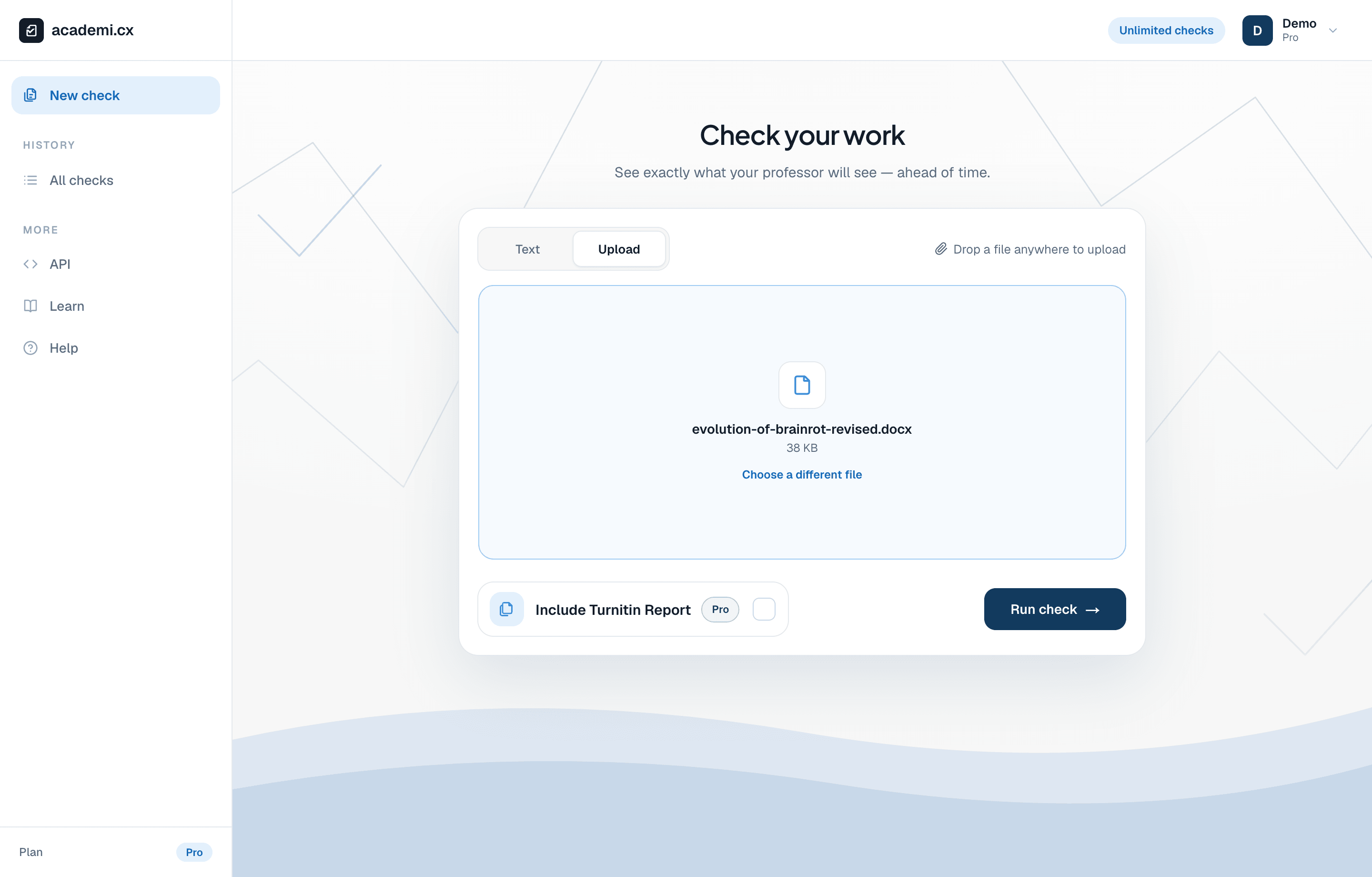
After editing your source document, choose Upload and select the revised Word document or PDF.
Decide what needs to change
Start with a specific passage rather than a target score. Write down the issue you can actually verify: an unsupported claim, an unclear connection, a close paraphrase, or missing attribution. An AI highlight is a prompt to inspect the writing; it is not, by itself, a reason to replace a correct sentence.
In the example, the writer describes a word’s shift from an effect to a genre. A useful revision could make that change more concrete: people began using the phrase to describe the videos themselves.
| Draft | A more specific revision |
|---|---|
| The word then underwent its first major mutation: it stopped describing an effect and started describing a genre. | People began calling the videos themselves brain rot, shifting the phrase from a feeling after scrolling to a label for a type of content. |
This edit explains the connection more clearly. It does not promise a lower AI score.
Edit the original document
You can rename an existing check from its report toolbar to keep your history organized. Renaming changes the label only; it does not modify the uploaded file, refresh the scores, or create a new version of the report.
Save the checked draft with a clear version name, such as essay-draft.docx.
Make changes in Word, Google Docs, or your usual editor. The report viewer does not edit the submitted text.
Check the argument and sources again after revising. Preserve necessary citations and clearly distinguish your analysis from borrowed ideas.
Export the revised version in the same format when possible and give it a distinct filename.
Run a new check and compare
A revision can change nearby sentence scores because the classifier uses context. Removing text changes what is being assessed, so the overall result can change too. A lower headline does not automatically mean a better argument, and a higher one does not automatically mean a worse revision.
Return to New check and upload the revised file, or paste the revised text.
Choose the same check types if you want a comparable review, then select Run check.
Open the earlier and later reports from All checks in separate browser tabs.
Compare the passages you changed, the surrounding context, and the source relationships. Keep both files and reports with a short note explaining the revision.