
Start here · 4 min read
Uploading your first document
Take a document from your computer to a readable report. Here is what to expect at each step.
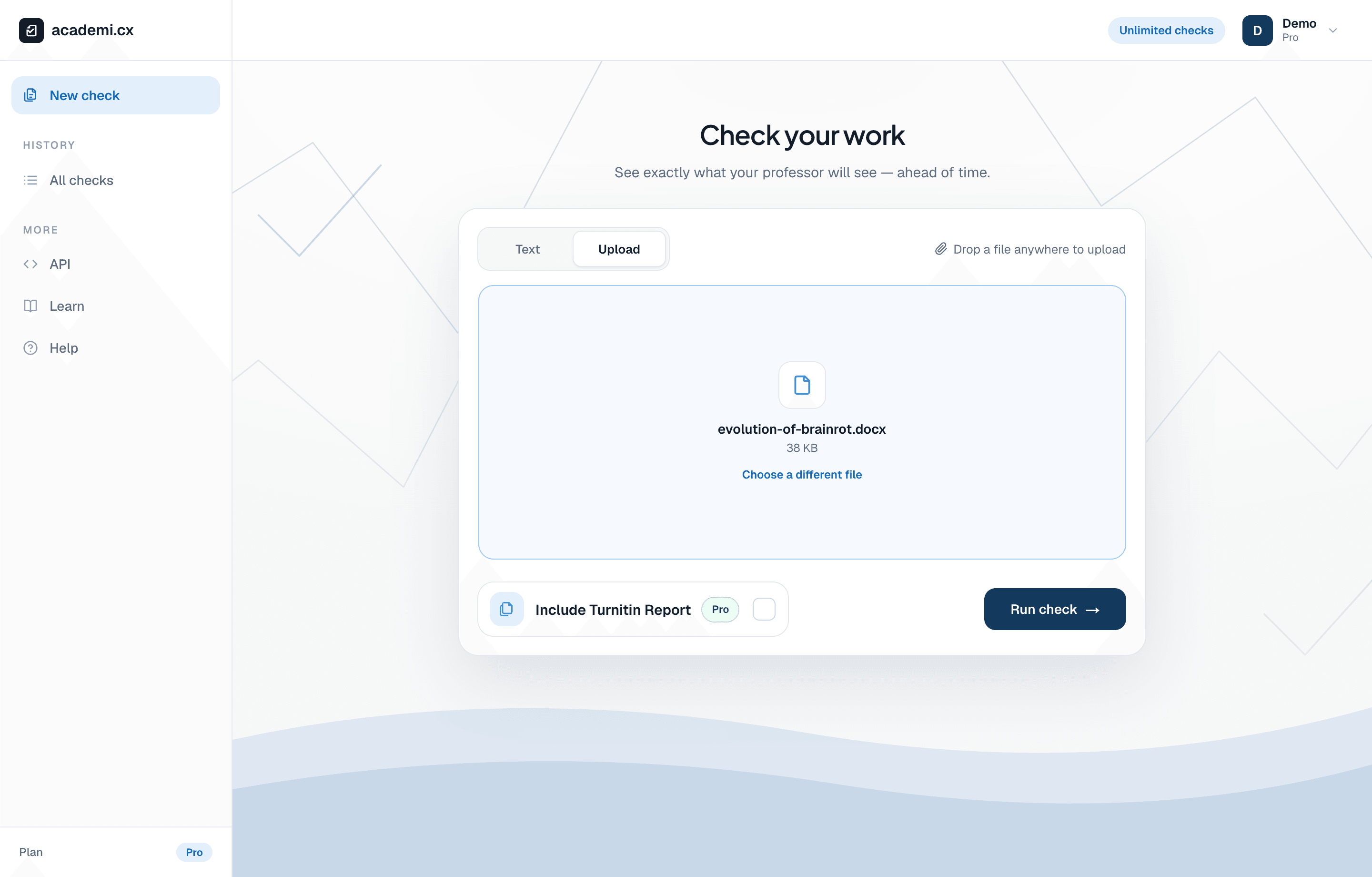
Drop your document into Upload. Its filename appears here so you can check that you selected the right draft.
Prepare a readable file
Save the version you want to review before making changes. The website accepts PDF, DOC, DOCX, and TXT files up to 50 MB. A PDF with selectable text is a good choice when you want the report to preserve your page layout. A scanned image needs text recognition (OCR) before the checker can read it.
Each document needs at least 125 words. Free AI checks have a lower word limit than Pro; your dashboard shows the limit for your plan and check type. The allowance and access shown in your account determine which checks you can run. A file’s size in megabytes does not tell you its word count. AI detection also needs readable prose; headings, references, and fragments alone may not provide enough writing to assess.
Choose the file and check type
To check plain text, choose Text and paste your writing instead. This avoids file conversion, but the report will not retain the formatting of your original document.
Open New check in your dashboard and select Upload.
Drop the document onto the page, or select a file using the upload area. Check the displayed filename before continuing.
Leave Include Turnitin Report off for an AI check. Turn it on when you also need source matching and your account has the required access.
Select Run check once. Keep the page open while the file uploads and processing begins.
What happens after Run check?
The website uploads the file, converts Word documents when needed, checks applicable length limits, and sends the readable document for analysis. You may see Uploading, Converting, or Processing along the way. A PDF or pasted text does not need the Word conversion step.
The AI report opens when it is ready. Similarity runs separately, so its tab may still show progress after the AI result arrives. Finished checks are available in All checks; you can return to them without submitting another copy.
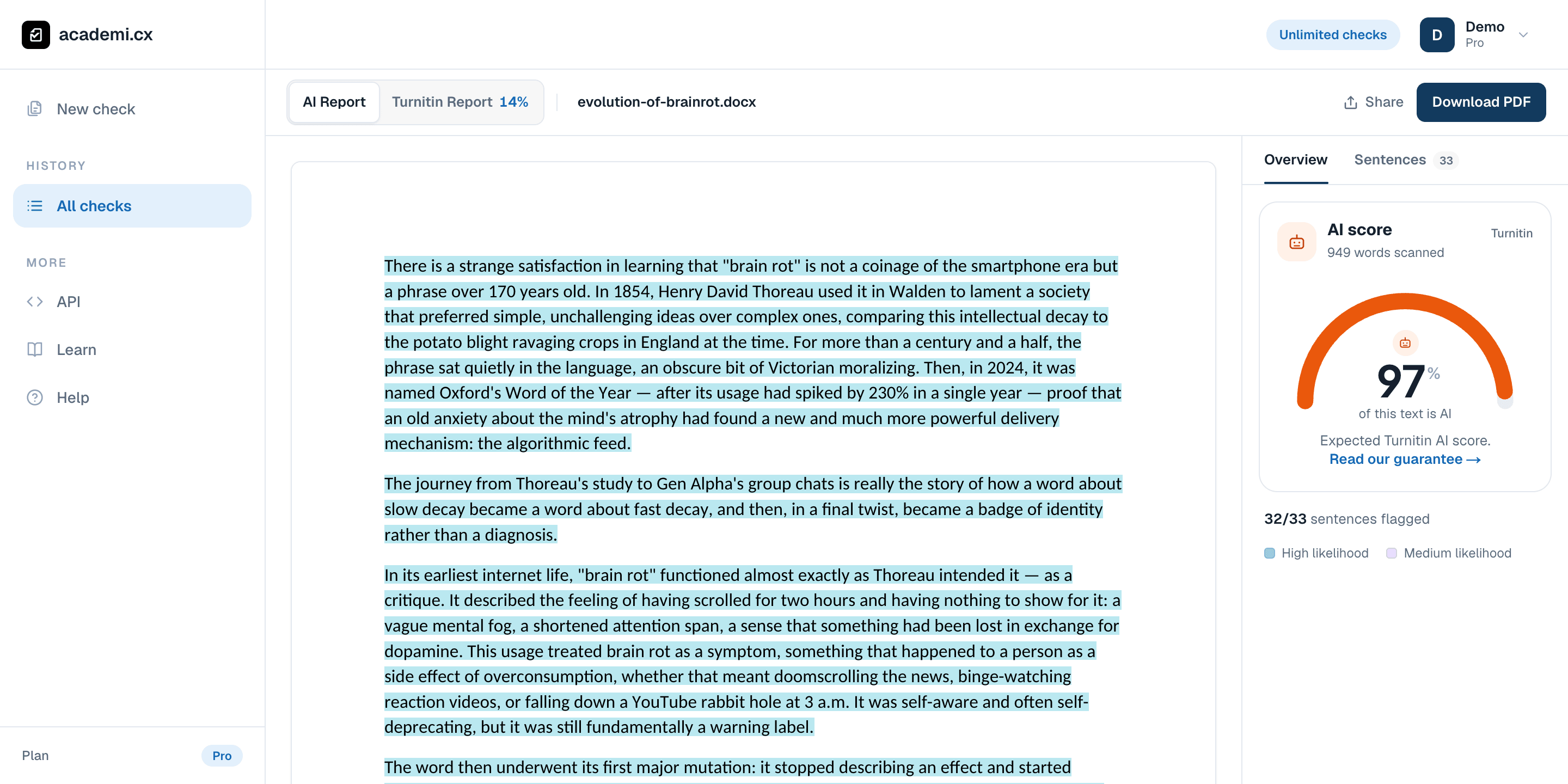
The overall percentage previews your expected Turnitin AI result. This demo scored 97%; it is an estimate about the text, not a verdict about its author.
If the check does not finish
Read the message shown by the form. Check the format, size, word allowance, and whether the file contains readable text. An upload failure is different from an AI or similarity processing failure. If the problem persists, send support the filename, time of the attempt, and error message; include the check URL if one was created.