
Skip to content
Browse lessons

Work with your report · 1 min read

Sharing a report

Share checks done on academi.cx with others.
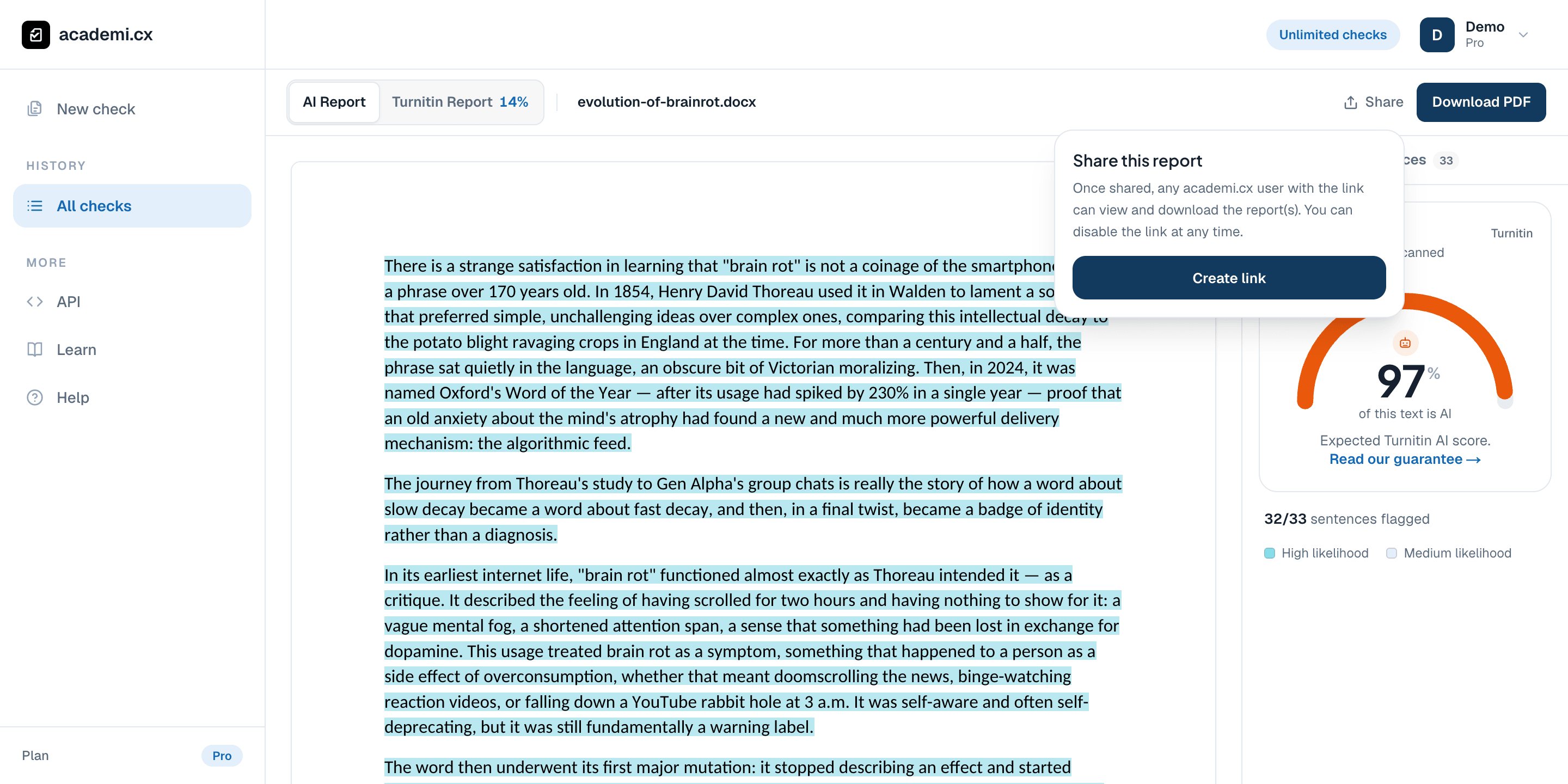
The Share control open on the demo report, showing how to create a shareable link

Use Share in the report toolbar to open the link controls for this check.

Share opens from the report toolbar. No public link was created for this screenshot.

Create or download what you need

Anyone with a live shared link may be able to read its report content. Check the document before sharing it. Creating a replacement link after revocation does not restore the earlier address.

  1. Open the check and select Share in the toolbar.

  2. Create a link when you are ready to grant access, then copy it for your intended recipient.

  3. Return to Share to manage or revoke access when the link is no longer needed.

  4. Use the available report download option when the reviewer needs a file instead.